

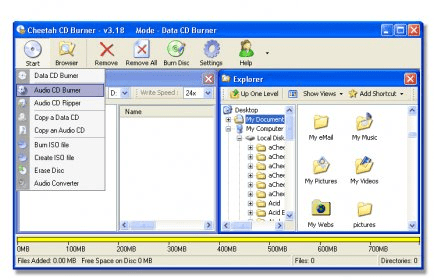
Cheetah CD Burner is a CD burner application for Windows. This could be considered the younger sibling of Cheetah DVD Burner, which is also a CD burner, but comes with DVD burning capabilities as well. With this application, you will be able to do all you can do with a CD burner. In other words, you will be able to burn data CDs, audio CDs, and video CDs. To make an Audio CD, you will need to have songs that are in the supported file formats. Any WAV or MP3 file will do. Simply add those files to the current compilation on your screen, and the songs will be converted to WAV so that you can burn them to an Audio CD. You can also create data compilations in the exact same way. Simply select Data CD and add the files that you want on your final disc. This application also allows you to create image files from files that are on your computer. You can create both ISO and BIN/CUE images. You are also able to copy existing discs at fast speeds and to erase rewritrable discs. The application is really fast and easy to use.

 dbForge SQL Tools 6.6
 dbForge Studio for SQL Server 6.6
 dbForge SQL Complete 6.1
 dbForge Source Control for SQL Server 2.7
 dbForge Compare Bundle for SQL Server 6.6
 dbForge Documenter for SQL Server 1.8
 dbForge Data Generator for SQL Server 4.6
 dbForge Index Manager for SQL Server 1.1
 dbForge Data Pump for SQL Server 1.9




Comments